Match real tile veins and beat the installed example
A game on real scanned tiles. Swap the tiles until the veins flow across the joints; the app's own wall scorer keeps the score. Then compare your wall with the wall as it was installed, and try for the top score. Every series saved to the tile archive becomes another wall to play.
Guide revision: 2026-11-15
5-step walkthrough with voiceover, recorded from the same checked steps.
Voiceover: Kokoro text-to-speech (Apache 2.0).
How do I start?
Open TileMatchMaker and tap Play, or walk up to the Beat the Installed Wall cabinet in the JobSafe Quest Arcade.
What do I do next?
- 1
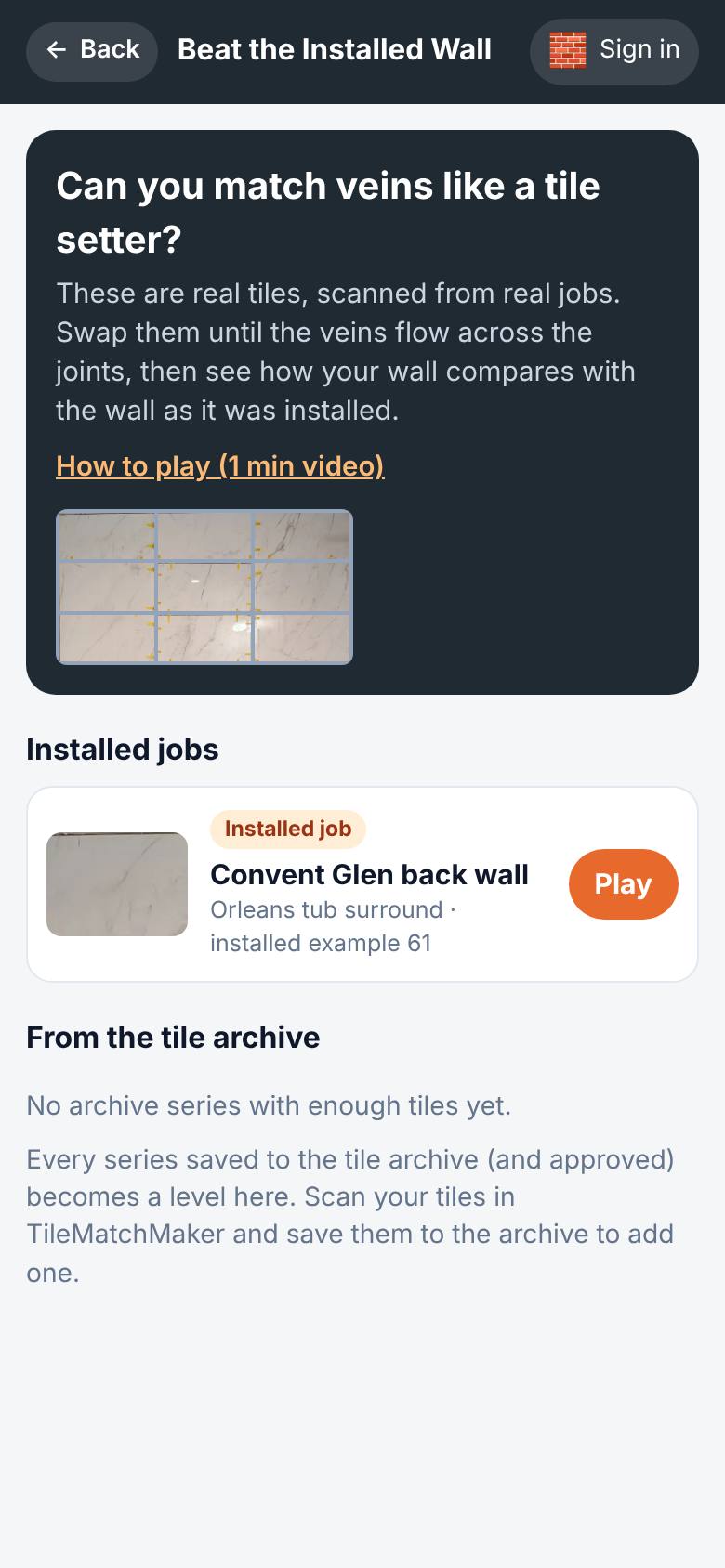
Pick a wall
Pick a wall.
The Convent Glen wall: 21 real tiles; the installed example scores 61.
- 2
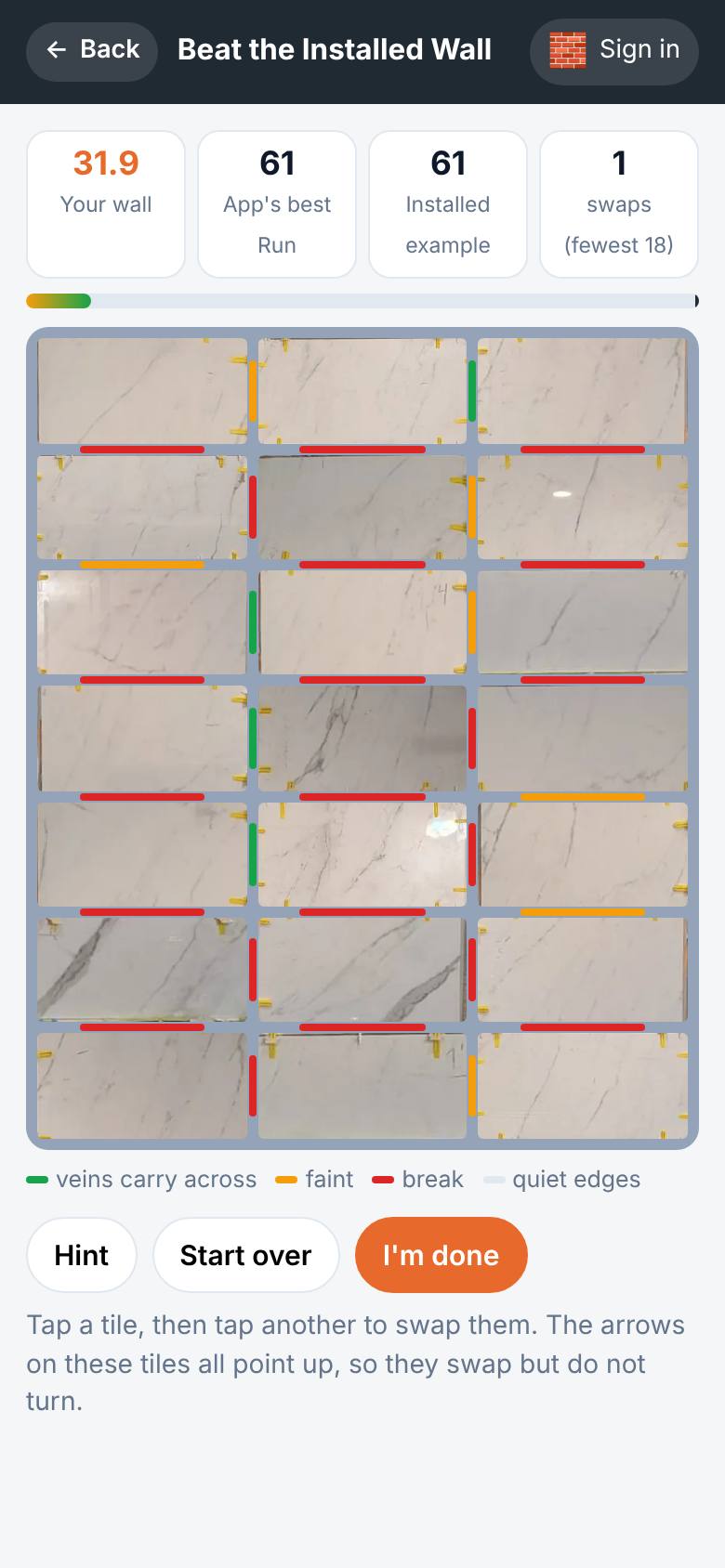
Swap two tiles
Tap a tile, then tap another to swap them.
The score changes and each joint shows green, yellow or red.
- 3
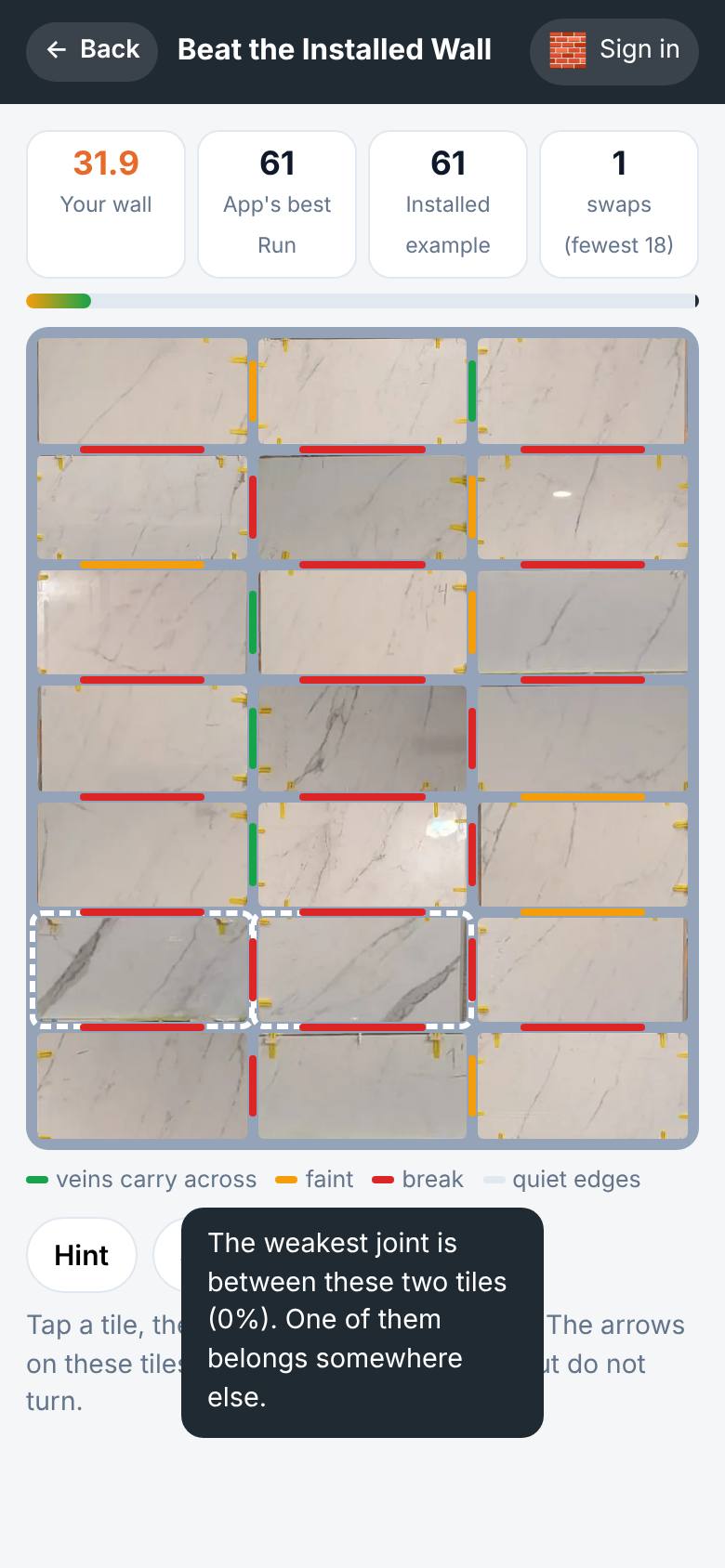
Hint
Tap Hint.
The two tiles either side of the weakest joint are marked.
- 4
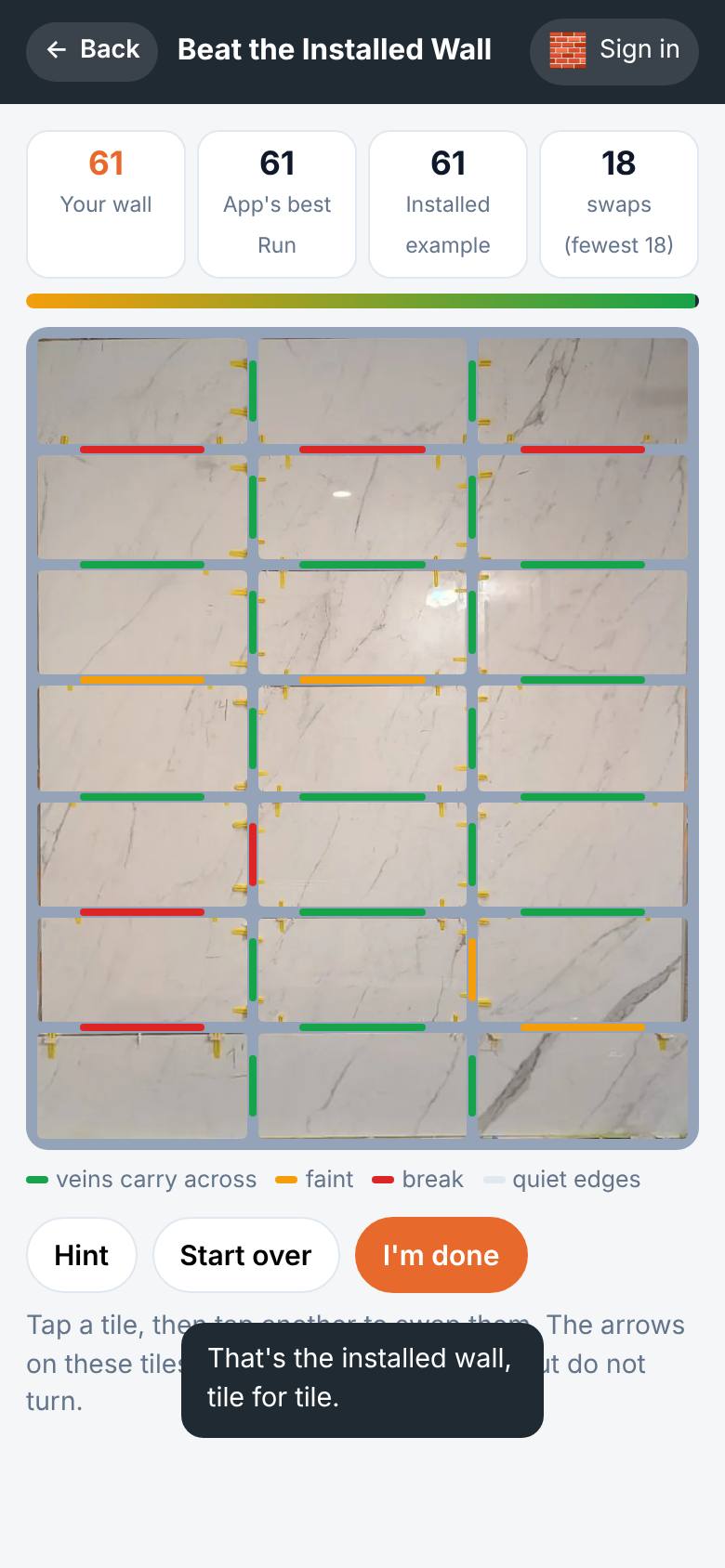
Keep swapping
Keep swapping until the joints turn green.
The bar fills to the installed example.
- 5
Compare
Tap I'm done.
Your wall beside the installed example, with your stars.
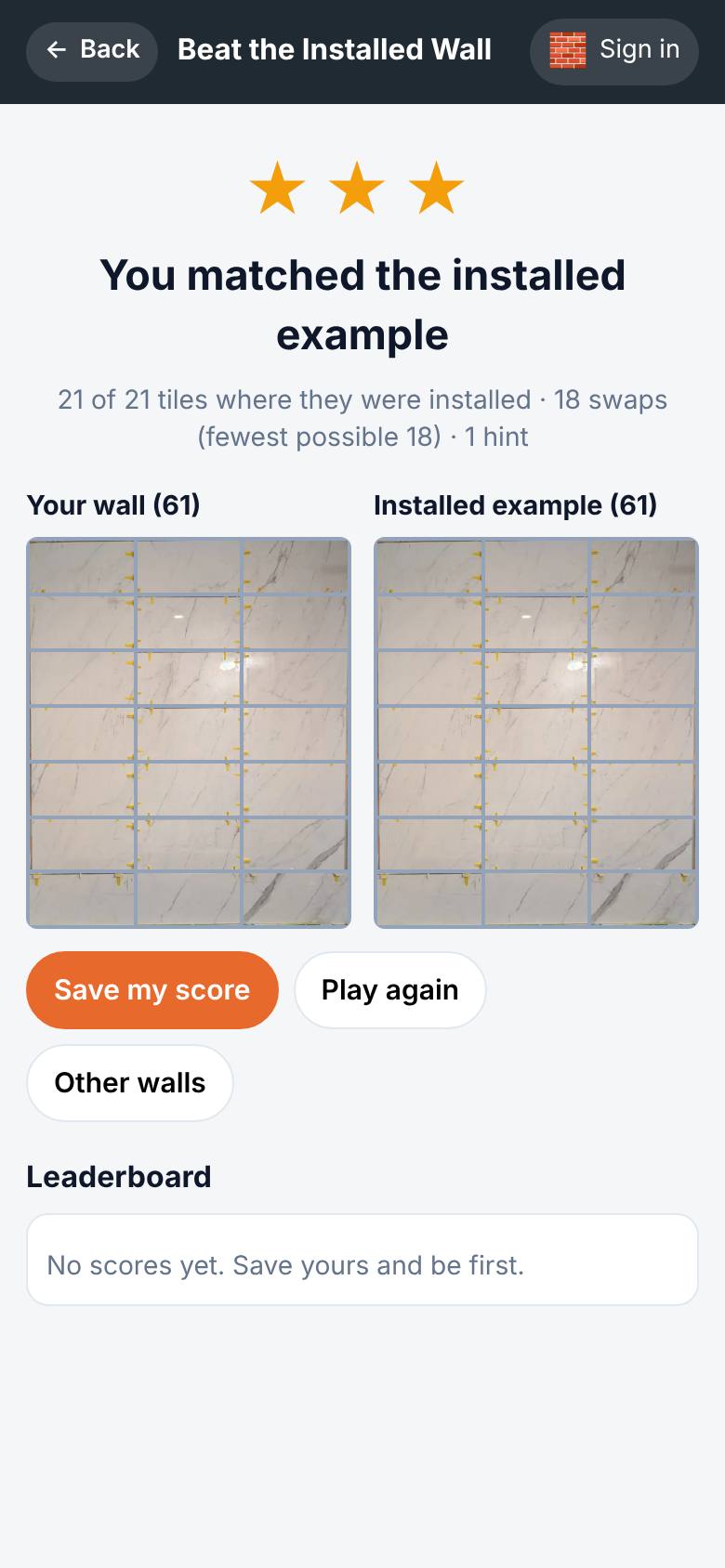
What result should I expect?
Your wall scored the same way as a real job, side by side with the installed example, and your place on the leaderboard.
How do I save, share or get help?
Save my score puts your best on the wall's leaderboard under the name and avatar you pick.
If something goes wrong
- The tiles will not turn. On the installed jobs the arrows on the backs all point up, so tiles swap but do not turn. Archive walls let you turn them.
- Save my score asks me to sign in. Scores go on the leaderboard under your account. Sign in, then pick a name and an avatar.
Every screenshot here was taken while doing these exact steps on the app's current build (677ffb3), on a phone-sized screen, signed out, on 2026-11-15. Steps that need an account are marked. Nothing was submitted or bought.
All How-To guides Return to Beat the Installed Wall